
Template Routes
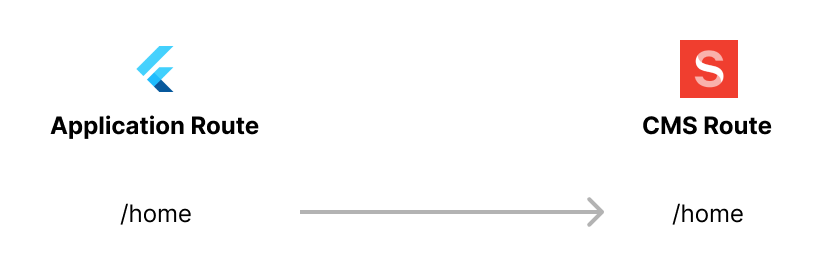
Routes in the Vyuh Framework allow you to define the structure of a page or a dialog. The structure of a route is put together by assembling a set of content items from the framework. These routes also have an equivalent on the Flutter side, where they are rendered using GoRouter. Thus an application route like /home can have a CMS route with the same path that defines the structure of the page.
TL;DR
Template routes are set up using the custom CMSRoute with a cmsPathResolver parameter. This resolver function takes in an application route path and maps it to a CMS path.
CMSRoute(
  path: '/wonderous/wonder/:wonder([^/]+)',
  redirect: (_, state) {
    if (state.topRoute?.path == null) {
      return '${state.matchedLocation}/details';
    }
    return '${state.matchedLocation}/${state.topRoute!.path}';
  },
  routes: [
    StatefulShellRoute.indexedStack(
      branches: [
        StatefulShellBranch(
          routes: [
            CMSRoute(path: 'details',
                cmsPathResolver: wonderPathResolver),
          ],
        ),
        StatefulShellBranch(
          routes: [
            CMSRoute(path: 'events',
                cmsPathResolver: wonderPathResolver),
          ],
        ),
        StatefulShellBranch(
          routes: [
            CMSRoute(path: 'photos',
                cmsPathResolver: wonderPathResolver),
          ],
        ),
      ],
      builder: (context, __, shell) {
        // ... construct the Scaffold with bottom navigation ...
      },
    ),
  ],
)

// Resolver
String wonderPathResolver(String path) {
  return switch (path) {
    (String x) when x.contains(RegExp(r'/wonder/[^/]+/details')) =>
      '/wonderous/wonder/details',
    (String x) when x.contains(RegExp(r'/wonder/[^/]+/events')) =>
      '/wonderous/wonder/events',
    (String x) when x.contains(RegExp(r'/wonder/[^/]+/photos')) =>
      '/wonderous/wonder/photos',
    _ => path
  };
}
Why Do We Need This?
When you start out, you will most likely create a 1:1 mapping between an application route and a CMS route. But over time, there will be more complex scenarios where multiple application routes can map to the same CMS route and provide the same structure. For example, you could have multiple restaurant detail pages where the ID of the restaurant determines the data, but the structure of the detail page is exactly the same across all restaurants.
This style of mapping multiple application routes to a single CMS route is referred to as a Template Route.
Template?
The template here refers to the route structure which remains the same across all these application routes.
By leveraging template routes, you reduce the number of CMS routes you have to create. Reusability is far better than duplication, and template routes allow you to achieve that elegantly.
Template Routes in Practice
Consider an app that shows different "wonders of the world." The structure of every wonder page is the same. Instead of creating separate pages for each wonder, create a single structural page that acts as the CMS route for all wonders.
CMS Routes
Since the structure of the details page, photos page, and events page is the same, create separate routes on the CMS with paths ending in /wonder/details, /wonder/events, and /wonder/photos. These are CMS template routes.
INFO
If you were duplicating this across wonders, you would have to include the wonder identifier in the path itself (e.g., /wonderous/wonder/taj-mahal/details). Doing this for every wonder would be cumbersome and unnecessary duplication.
Application Routes
Each wonder has a specific identifier that helps identify it on the CMS. The application route includes this identifier in the path and maps to the CMS template route.
The mapping from the application route to the CMS route happens in the CMSRoute with a custom cmsPathResolver:
Future<List<RouteBase>> routes() async {
  return [
    CMSRoute(path: '/wonderous'),
    CMSRoute(
      path: '/wonderous/wonder/:wonder([^/]+)',
      redirect: (_, state) {
        if (state.topRoute?.path == null) {
          return '${state.matchedLocation}/details';
        }
        return '${state.matchedLocation}/${state.topRoute!.path}';
      },
      routes: [
        StatefulShellRoute.indexedStack(
          branches: [
            StatefulShellBranch(
              routes: [
                CMSRoute(path: 'details',
                    cmsPathResolver: wonderPathResolver),
              ],
            ),
            StatefulShellBranch(
              routes: [
                CMSRoute(path: 'events',
                    cmsPathResolver: wonderPathResolver),
              ],
            ),
            StatefulShellBranch(
              routes: [
                CMSRoute(path: 'photos',
                    cmsPathResolver: wonderPathResolver),
              ],
            ),
          ],
          builder: (context, __, shell) {
            // ... construct the Scaffold with bottom navigation ...
          },
        ),
      ],
    ),
  ];
}

String wonderPathResolver(String path) {
  return switch (path) {
    (String x) when x.contains(RegExp(r'/wonder/[^/]+/details')) =>
      '/wonderous/wonder/details',
    (String x) when x.contains(RegExp(r'/wonder/[^/]+/events')) =>
      '/wonderous/wonder/events',
    (String x) when x.contains(RegExp(r'/wonder/[^/]+/photos')) =>
      '/wonderous/wonder/photos',
    _ => path
  };
}
The Regular Expression (RegExp) checks that an identifier exists in the application route path and then maps to the corresponding CMS path.
| Application Route Path | CMS Route Path |
|---|---|
| /wonderous/wonder/taj-mahal/details | /wonderous/wonder/details |
| /wonderous/wonder/great-wall/events | /wonderous/wonder/events |
| /wonderous/wonder/machu-picchu/photos | /wonderous/wonder/photos |
Summary
Template routes are a great way to simplify the management of common application routes that all have the same visual structure.
By assigning all of them to the same CMS route, you can ensure there is no duplication. It is however necessary that you do this mapping by using the CMSRoute with a custom cmsPathResolver. Doing so gives you flexibility in managing the routes in your application.
Ask this question if you need a Template Route: same visual structure across various parameterized application routes? If yes, create a CMSRoute with a cmsPathResolver and you are good to go.