
Conditional Routes
In the Vyuh Framework, routes are a great way to set up a single screen of content. But sometimes, you do not want to always go to the same screen for every user or for every situation in your app. That is where conditional routing comes into play.
A conditional route leverages a Condition to branch between two or more routes. Having a conditional route means you can do things like showing a different screen for different types of subscribers. You could show a plain screen for the basic user, a more premium looking screen for the premium user, and a more luxurious one for the luxury user. These things can be done using a singular condition that reports the subscription status and using that to drive the conditional route.
The good part about a Conditional Route is that all of the configuration is done from the CMS, so you do not have to write any code to make it work.
Choosing a Condition
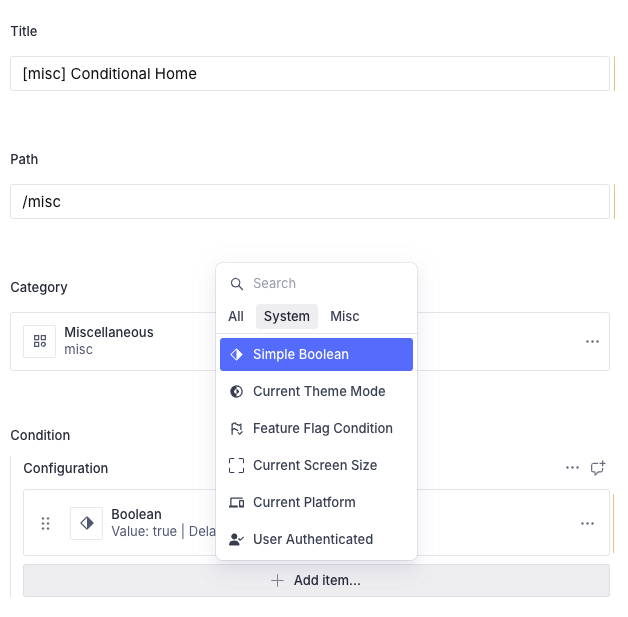
Let us pick a simple condition for this example. A Boolean condition works very well; it is already built into the system. We can use this condition to drive the two branches of the conditional route.
Create a new route called Conditional Home with a path of /misc and select the Simple Boolean condition, which is built into the system.
Deciding the Various Branches
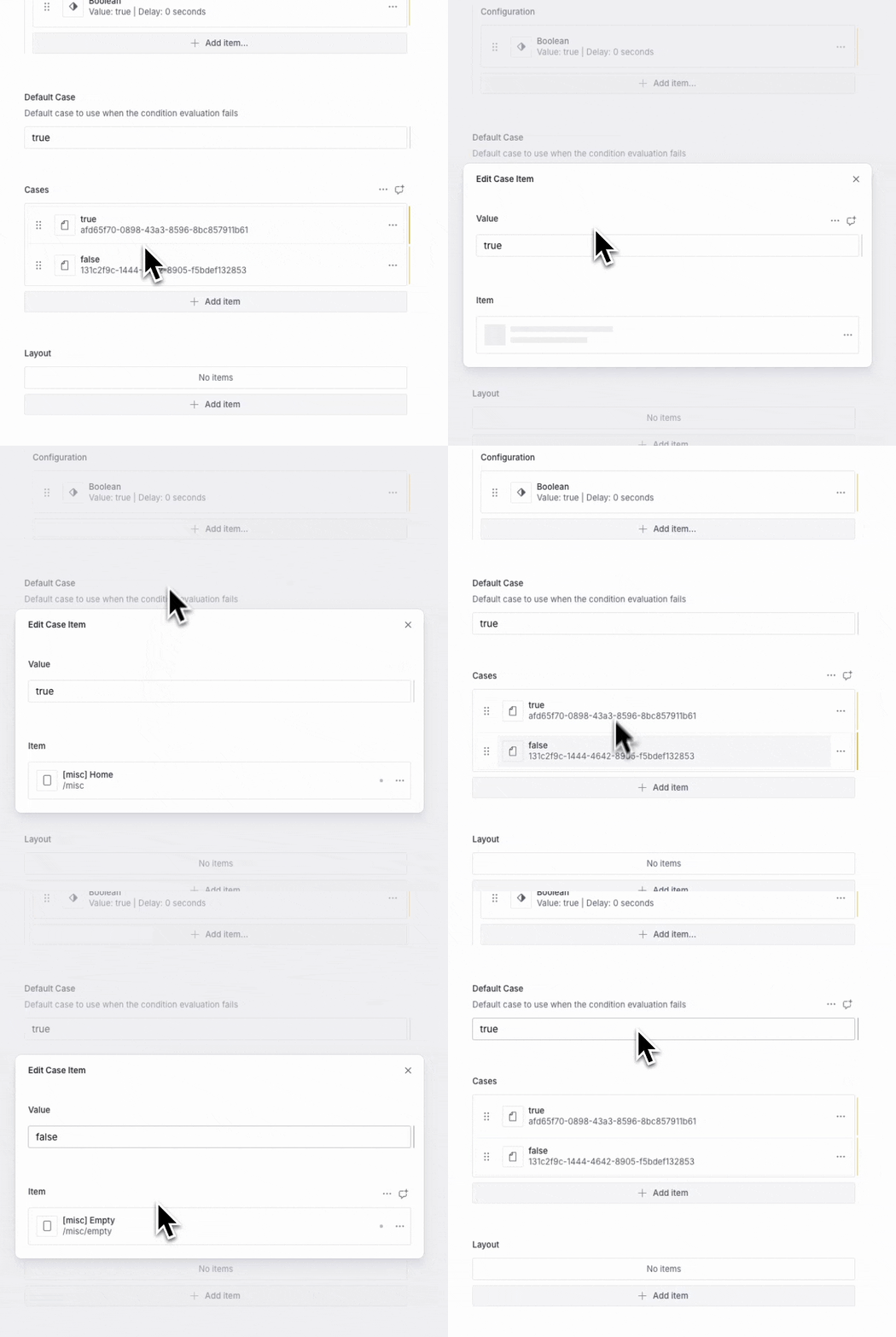
The next step is to set up the two branches of this particular condition. Since it is a Boolean condition, we create a true route and a false route. The true route points to the Miscellaneous Home, and the false route points to an Empty page.
A Route for Each Case
Conditions return a string value which could be used as an enumeration for deciding the different routes. In the case of the Boolean condition, there are only two possible values (true and false). Hence, we only set up two routes.
For a different condition (such as subscription-status or current-platform), the values can be more than two, in which case you would need to set up a route for all the possible values.
Testing it in the App
When testing in the app, make sure you are linking to this particular route through a URL and NOT by a Route reference. The framework uses the URL to decide whether there is a conditional route existing against the same path. If so, it will evaluate the conditional route and pick the final route to render.
Since we have already set up the /misc route, load it up inside the app and observe how it behaves when the condition switches between true and false.
Summary
As you can tell from this guide, there is no need to write any code to set up a Conditional Route. It is all done in the CMS with a simple configuration. You select the condition and set up the routes for its various cases. At runtime, depending on the value of the condition, the correct route will be rendered.
Nested Conditional Routes
A fun fact to note here is that you could have a Conditional Route itself as a case. This means you can have a tree of Conditional Routes that can be used for more complex scenarios.