
Content Previews
The Preview feature is a powerful development tool in Vyuh that enables rapid content and layout testing. Key aspects include:
- Content Previews: Generate sample content without needing actual CMS data
- Layout Testing: Visualize how layouts handle different content variations
- Development Tools: Use the Content Playground to experiment with content and layouts
- Type Safety: Maintain type safety while testing with preview data
- Quick Iteration: Rapidly test and refine layouts during development
Implementing Previews
Content Type Preview
Every content type in Vyuh can define a preview example. This is done through the preview parameter in the TypeDescriptor:
static final typeDescriptor = TypeDescriptor(
  schemaType: 'vyuh.card',
  title: 'Card',
  fromJson: Card.fromJson,
  preview: () => Card(
    title: 'Title for the Card',
    description: 'A description for the card',
    imageUrl: Uri.parse('https://picsum.photos/300/200'),
  ),
);
Layout Preview
Similarly, layouts can also define previews to demonstrate how they render content.
Default Layout:
static final typeDescriptor = TypeDescriptor<LayoutConfiguration<Card>>(
  schemaType: 'vyuh.card.default',
  title: 'Default Card Layout',
  fromJson: DefaultCardLayout.fromJson,
  preview: () => DefaultCardLayout(
    title: 'Default',
    showImage: true,
    imageAspectRatio: 16 / 9,
  ),
);
List Item Layout:
static final typeDescriptor = TypeDescriptor<LayoutConfiguration<Card>>(
  schemaType: 'vyuh.card.list',
  title: 'List Item Layout',
  fromJson: ListItemCardLayout.fromJson,
  preview: () => ListItemCardLayout(
    title: 'List Item',
    showImage: true,
    compact: true,
  ),
);
Using the Content Playground
Vyuh provides a Content Playground where you can:
- Browse all available content types
- View their different layout options
- See how content looks with preview data
To access the playground:
- Open your Vyuh app in development mode
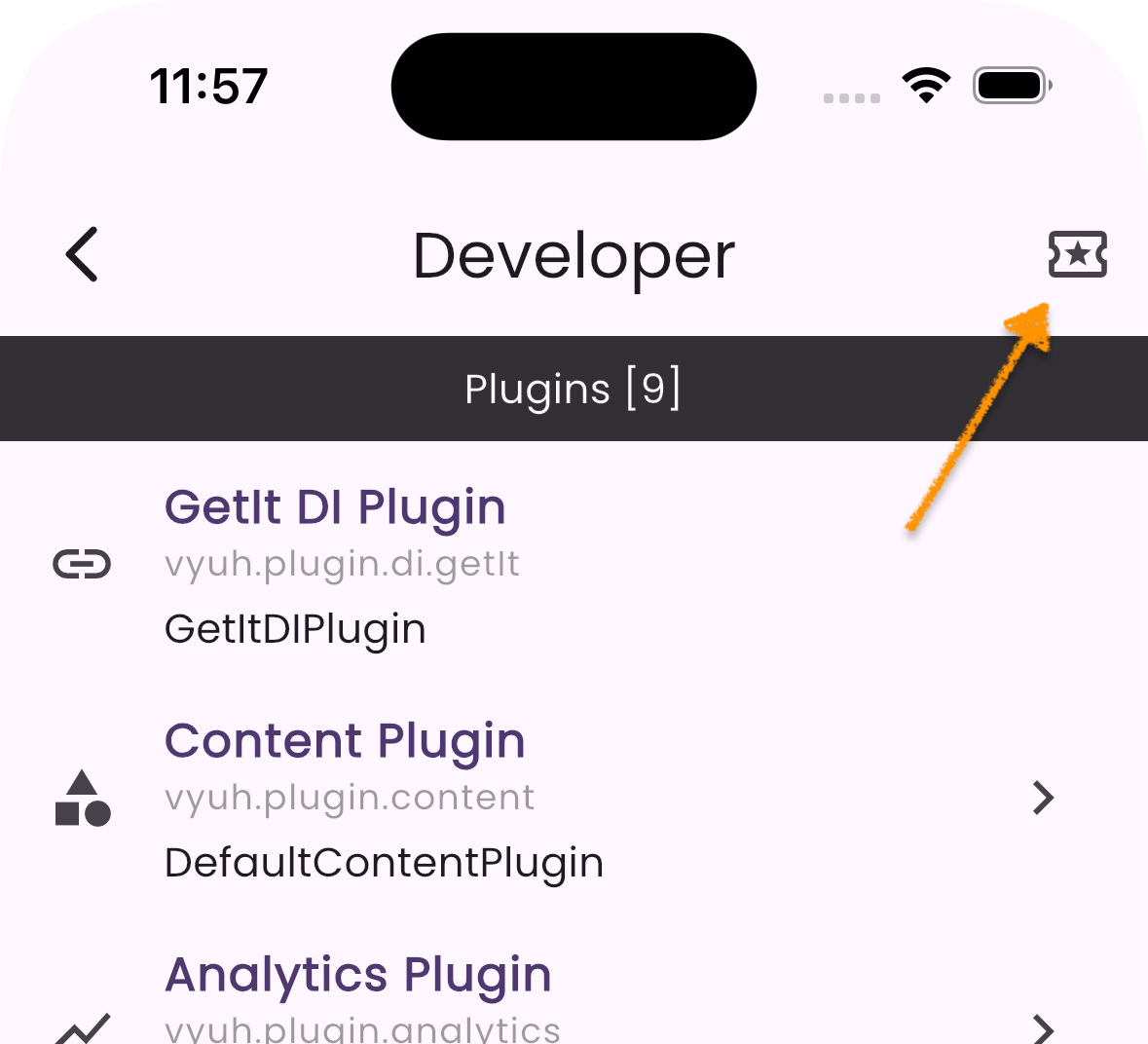
- Navigate to the Developer Tools section (hosted on the
/developerroute) - Select "Content Playground", which is available as an icon in the top-right corner of the Developer Tools main page
Features of the Playground
- Content Selection: Browse and select from all registered content types
- Layout Options: Try different layouts for the selected content
- Live Preview: See immediate updates as you switch between layouts
- Source Feature: Identify which feature provides the chosen layout. Note that although a feature provides the
ContentItem, the layouts can be provided by other features. This is one area of extensibility within Vyuh.
Best Practices
- Representative Data: Use realistic preview data that represents typical content
- Edge Cases: Include previews that test layout behavior with:
- Long text
- Missing optional fields
- Maximum content length
- Different image aspect ratios
- Consistent Previews: Keep preview data consistent across development to easily spot layout issues
- Documentation: Use preview examples in your documentation to show intended usage
Troubleshooting
If your previews are not working as expected:
No Preview Shows
- Ensure the
previewparameter is defined in yourTypeDescriptor - Check that all required fields are included in the preview data
- Ensure the
Layout Issues
- Verify that the layout configuration matches the content type
- Check if the layout handles null or optional fields correctly
Performance Issues
- Keep preview data generation simple
- Avoid heavy computations in preview callbacks
- Use static assets instead of network resources when possible
Summary
The Preview feature in Vyuh allows you to test and visualize your content layouts during development. It provides a powerful tool for rapid content and layout testing, ensuring that your layouts handle different content variations efficiently.
By using realistic preview data and consistent previews, you can ensure a smooth development experience and minimize the need for actual CMS content.