
Conditions
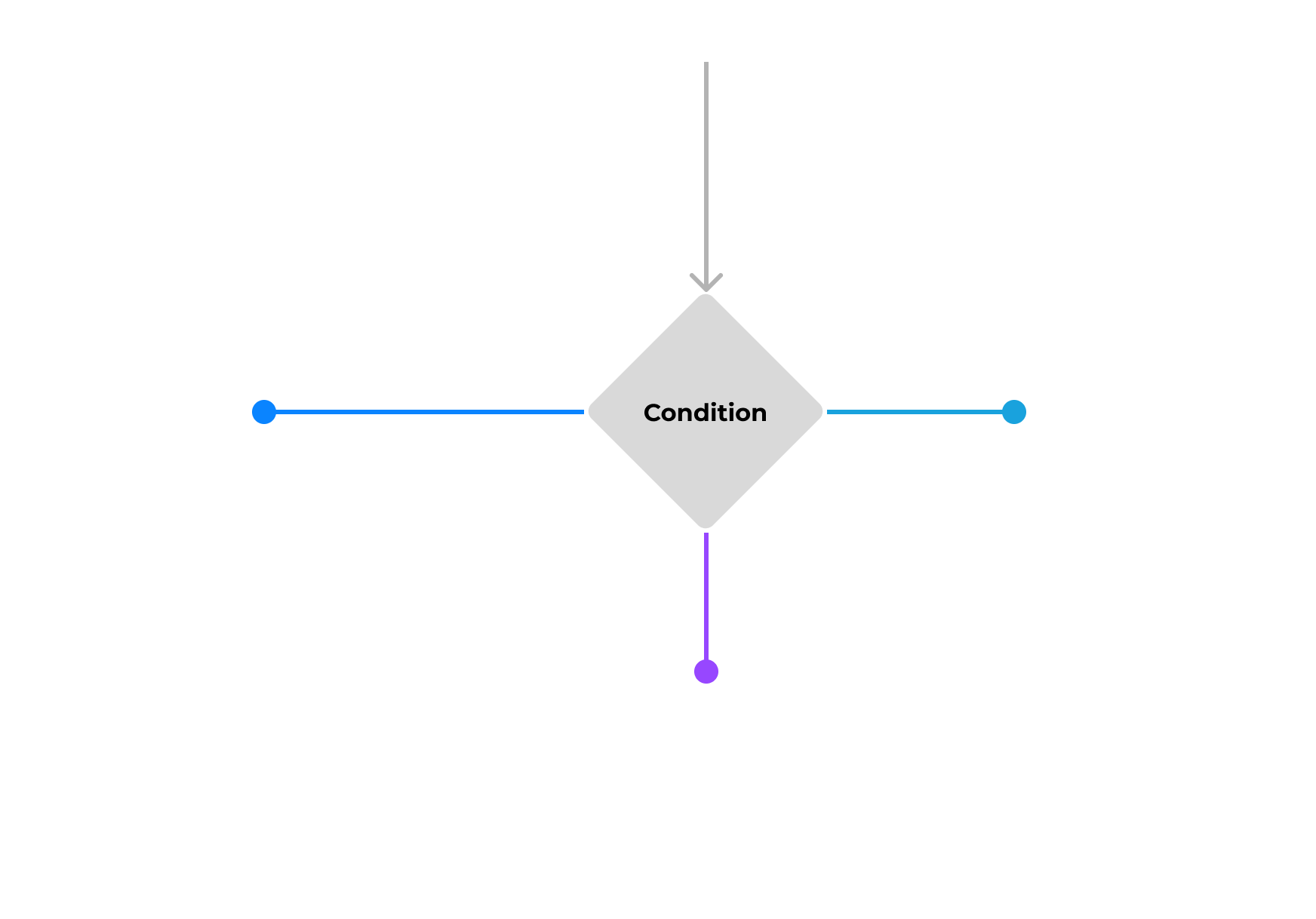
Condition is one of the core elements built into the Vyuh Framework. It allows you to express a runtime condition that evaluates to one of many values. This can be used to control different aspects of the framework. Conditions are evaluated asynchronously, to accommodate making network calls or using local values.
Need for Conditions
Just like conditions are necessary for any programming language (think of your if-else/ternary/switch-case constructs), conditions are also useful for a framework like Vyuh. They allow controlling the runtime behavior from a CMS without hardcoding the behavior in your app, giving you powerful and dynamic control.
The Switch-Case Analogy
Conditions in Vyuh evaluate to one of many pre-determined String values. Think of it as a Switch-Case from a programming language with the result being a value from an enumeration. A simple If-Else condition can be expressed as a Switch-Case with two possible values: false and true.
Built-in Conditions
There are several conditions built into the Framework:
- Current Theme Mode: one of
lightordark - Current Screen Size: one of
small,medium,large - Current Platform:
ios|android|web - User Authenticated:
true|false - Feature Flag: one of many values from a Feature Flagging service
- Simple Boolean:
true|false
Where Can a Condition Be Used?
Conditions are applicable in all the following areas:
- Content Items: a Conditional Content Item can show, hide, or switch between different content items based on a condition.
- Routes: a Conditional Route can navigate to one of many routes depending on the condition.
- Layouts: a Conditional Layout can switch between different layouts for a content item.
- Actions: a Conditional Action can decide between one of many actions based on a condition.
Creating a Custom Condition
You are not limited to the built-in conditions. Any feature can contribute more conditions that are relevant for the application.
1. Define the Schema
Let us create a custom condition that returns the current part of a day:
morning: 5 am to 12 pmafternoon: 12 pm to 5 pmevening: 5 pm to 9 pmnight: 9 pm to 5 am
import { defineField, defineType } from 'sanity'
import { GoClock as Icon } from 'react-icons/go'

export const partOfDay = defineType({
  name: 'misc.condition.partOfDay',
  title: 'Part of Day',
  description:
    'Uses the following values: morning | afternoon | evening | night',
  type: 'object',
  icon: Icon,
  fields: [
    defineField({
      name: 'title',
      title: 'Title',
      type: 'string',
      readOnly: true,
      initialValue: 'Part of Day',
    }),
  ],
  preview: {
    prepare(selection) {
      return {
        title: 'Part of Day',
        subtitle: 'morning | afternoon | evening | night',
      }
    },
  },
})
Naming Schemas
It is a good practice to use the feature name as a prefix in all your schemas to avoid any conflicts. We recommend following a dotted notation (feature.type.name) for naming schemas.
2. Export the Condition Schema
Export the schema in the FeatureDescriptor:
import { FeatureDescriptor } from '@vyuh/sanity-schema-core'
import { partOfDay } from './condition/part-of-day.ts'

export const misc = new FeatureDescriptor({
  name: 'misc',
  title: 'Miscellaneous',
  conditions: [partOfDay],
})
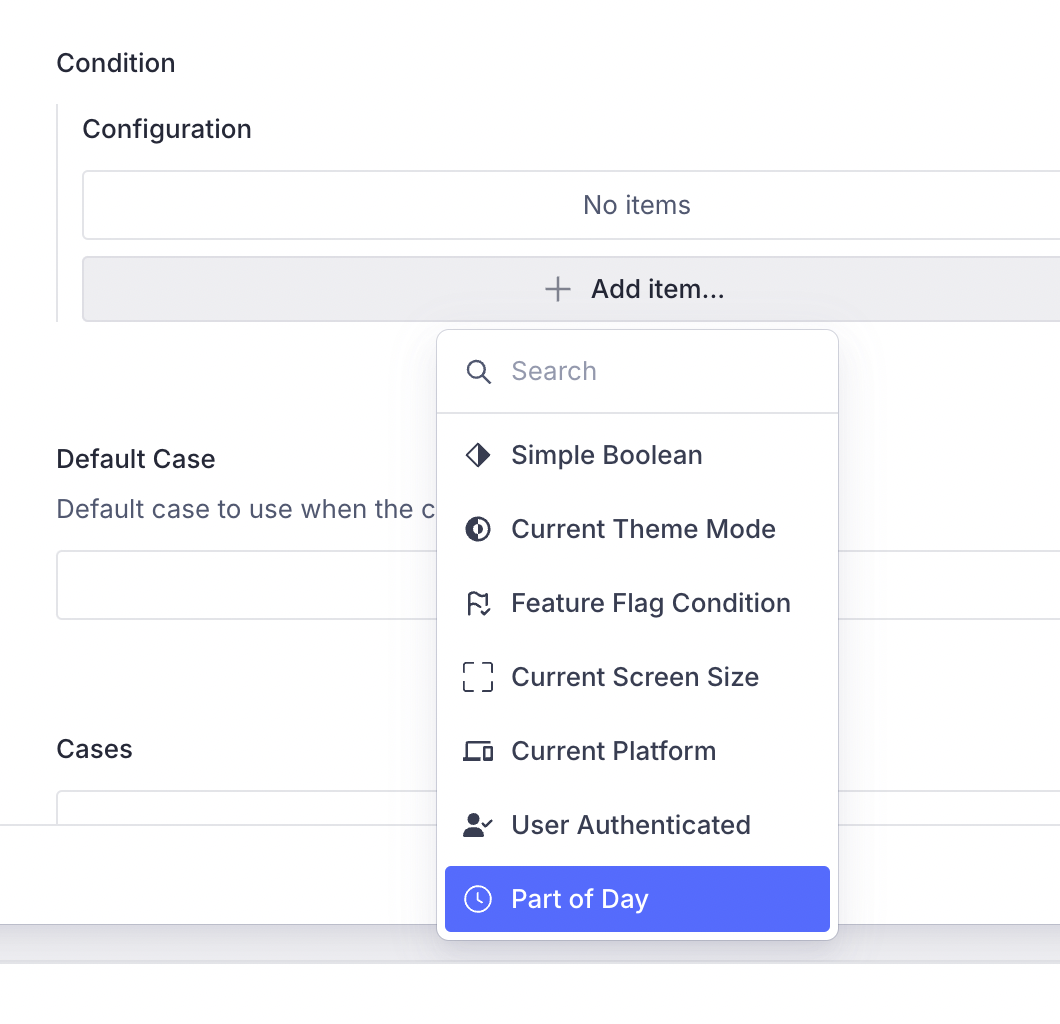
The part-of-day condition will now be visible when you try associating this condition for a conditional block.
3. Create the Flutter Counterpart
The Flutter side is where we bring the condition to life by extending ConditionConfiguration and implementing its execute() method:
import 'package:flutter/material.dart';
import 'package:json_annotation/json_annotation.dart';
import 'package:vyuh_core/vyuh_core.dart';
import 'package:vyuh_extension_content/vyuh_extension_content.dart';

part 'part_of_day.g.dart';

@JsonSerializable()
final class PartOfDayCondition extends ConditionConfiguration {
  static const schemaName = 'misc.condition.partOfDay';

  static final typeDescriptor = TypeDescriptor(
    schemaType: schemaName,
    fromJson: PartOfDayCondition.fromJson,
    title: 'Part of Day',
  );

  PartOfDayCondition()
      : super(schemaType: schemaName, title: 'Part of Day');

  factory PartOfDayCondition.fromJson(Map<String, dynamic> json) =>
      _$PartOfDayConditionFromJson(json);

  @override
  Future<String?> execute(BuildContext context) {
    final now = DateTime.now();
    final hour = now.hour;

    if (hour < 12) {
      return Future.value('morning');
    } else if (hour < 17) {
      return Future.value('afternoon');
    } else if (hour < 21) {
      return Future.value('evening');
    } else {
      return Future.value('night');
    }
  }
}
Code Generation
The part_of_day.g.dart file is generated by json_serializable. Run the following command in your feature package whenever you add or change a @JsonSerializable class:
dart run build_runner build4. Export Inside the Feature
Include the condition in the Flutter FeatureDescriptor:
final feature = FeatureDescriptor(
  name: 'misc',
  title: 'Misc',
  icon: Icons.miscellaneous_services_outlined,
  routes: () async {
    return [
      CMSRoute(path: '/misc', pageBuilder: defaultRoutePageBuilder),
    ];
  },
  extensions: [
    ContentExtensionDescriptor(
      conditions: [
        PartOfDayCondition.typeDescriptor,
      ],
    ),
  ],
);
5. Apply the Condition
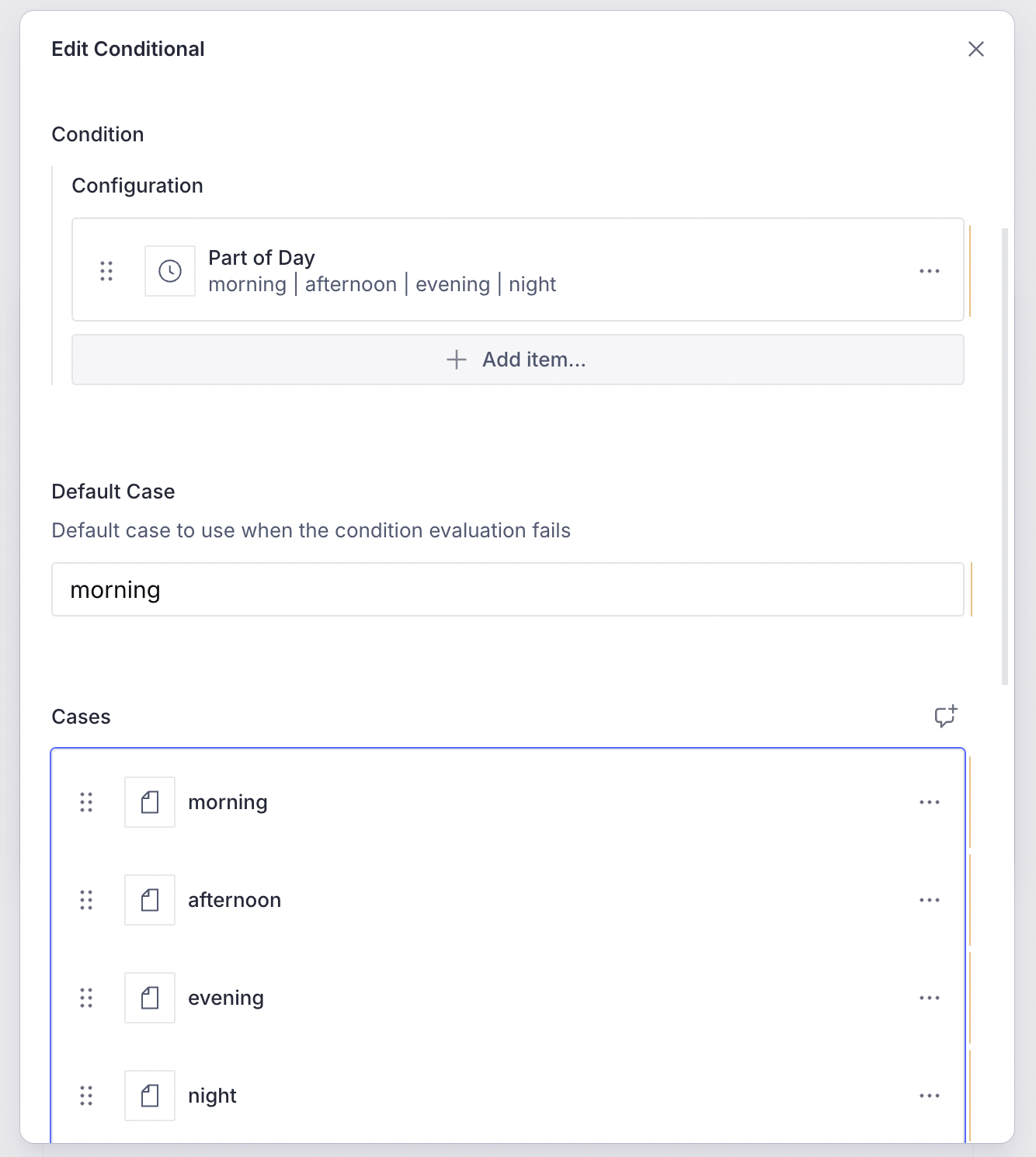
Create a Conditional Block in the CMS and define the content items to show for the different condition values.
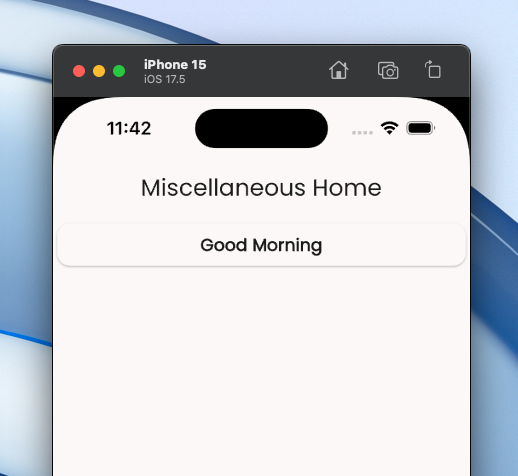
And here is the app in action, showing the appropriate greeting based on the current part of the day.
Examples
Here are some scenarios where conditions are useful:
- Switching between various layouts for Mobile, Tablet, and Desktop with a Conditional Layout
- Navigating to a Profile page or the Login page based on User Auth state, via a Conditional Route
- Showing full content for an article or only partially based on subscription status, via Conditional Blocks
- Testing different user journeys based on a Feature Flag, as part of A/B/N testing with Conditional Routes
- Switching themes on a page based on a user preference
Control from the CMS
Conditions can be controlled from the CMS. This gives you a lot of control to try various possibilities without committing to it in code. You can explore various journeys, layouts, content types, and actions all inside the comfort of your CMS.
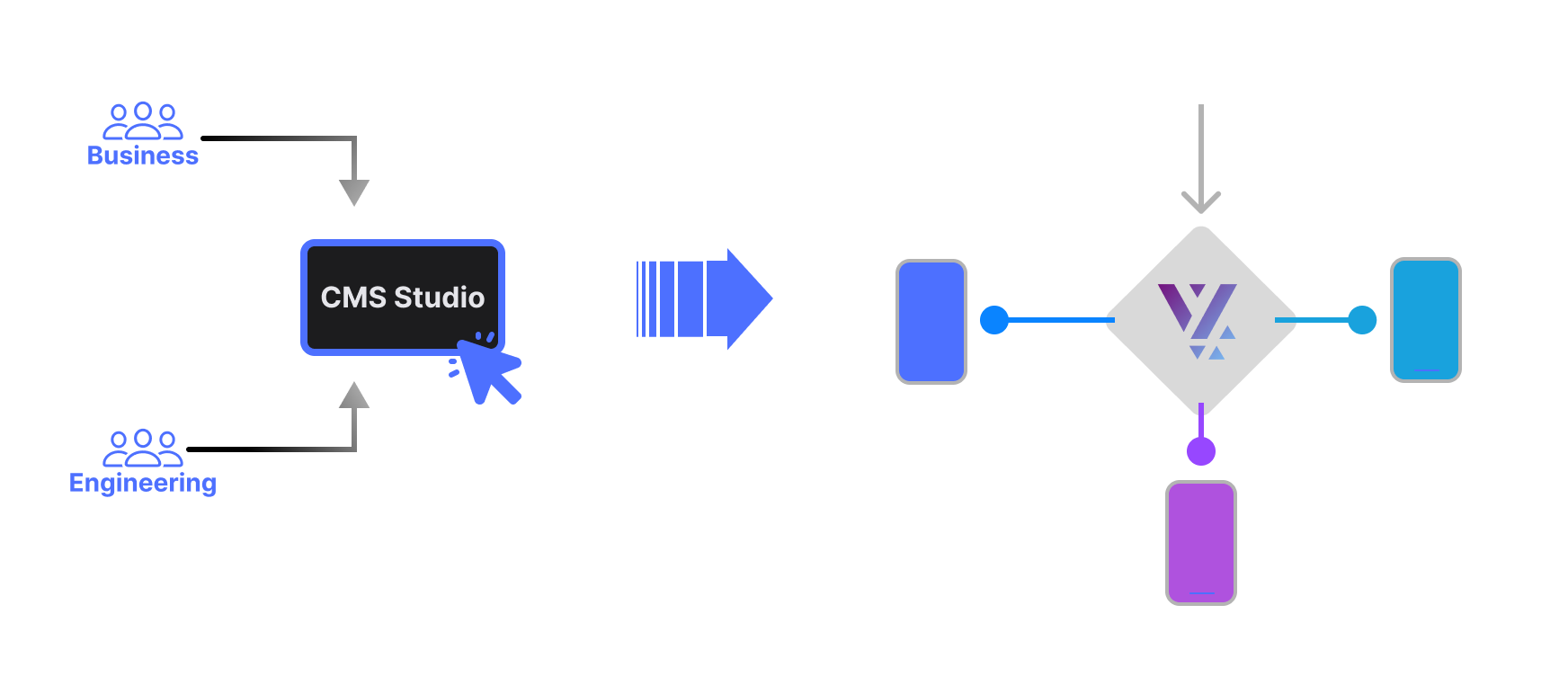
Designers and developers can work together to construct the building blocks and try out various permutations for a demo. Pick the one that makes the most sense at build time or release it to your customers to decide based on the winning A/B/N variation.
Summary
The Vyuh Framework allows you to define conditions that can be used to control different aspects of the application, like layouts, routes, actions, and content items. This makes the application more dynamic and adaptable without requiring code changes. Conditions can be controlled from the CMS, giving designers and developers flexibility to try out different variations during development.
Related
- Feature Flags -- use feature flags as conditions for A/B/N testing
- Conditional Routes -- route users based on condition outcomes
- Actions -- combine conditions with actions via Conditional Actions