
Wonderous
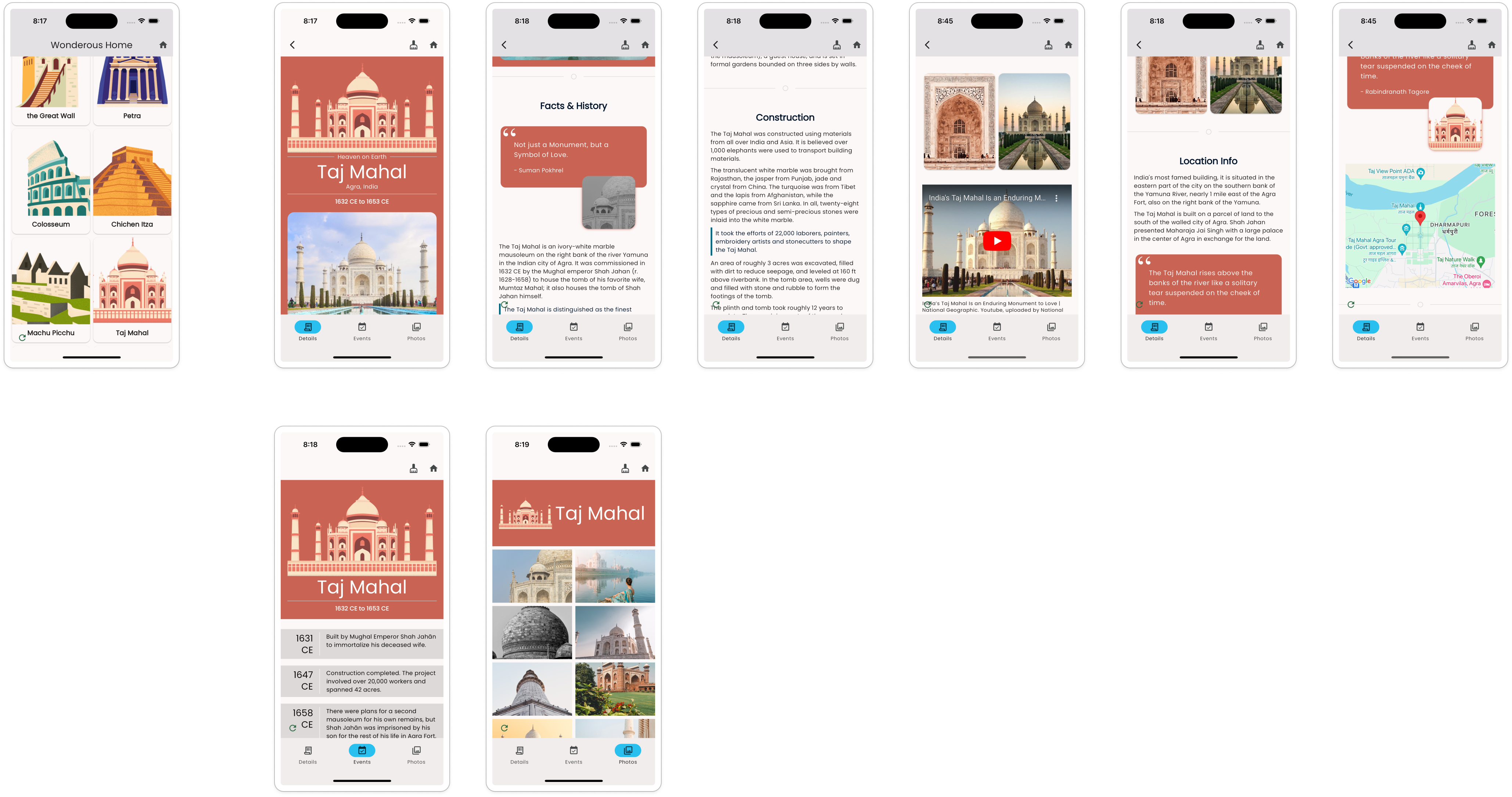
For someone long enough in the Flutter community, it is hard to miss the Wonderous App, a beautiful App built by the talented folks at GSkinner. This is a great example of a content-rich app showcasing wonders around the world with slick animations.
The Vyuh Framework was designed to work well with Content of all kinds, especially where the CMS-hosted Content becomes the centerpiece of your experience. The Wonderous App fits perfectly with this idea, and we decided to rebuild it using the Vyuh Framework.
Framework Features at Play
A variety of features from the framework are demonstrated:
- Custom content types -- The Wonder schema and its sections
- Custom documents with configurable section-based rendering
- Navigation between pages and templated routing
- Custom actions for user interactions
- API integrations with Unsplash for photos
- Google Maps integration for location display
- YouTube player for wonder videos
Distilling Wonderous
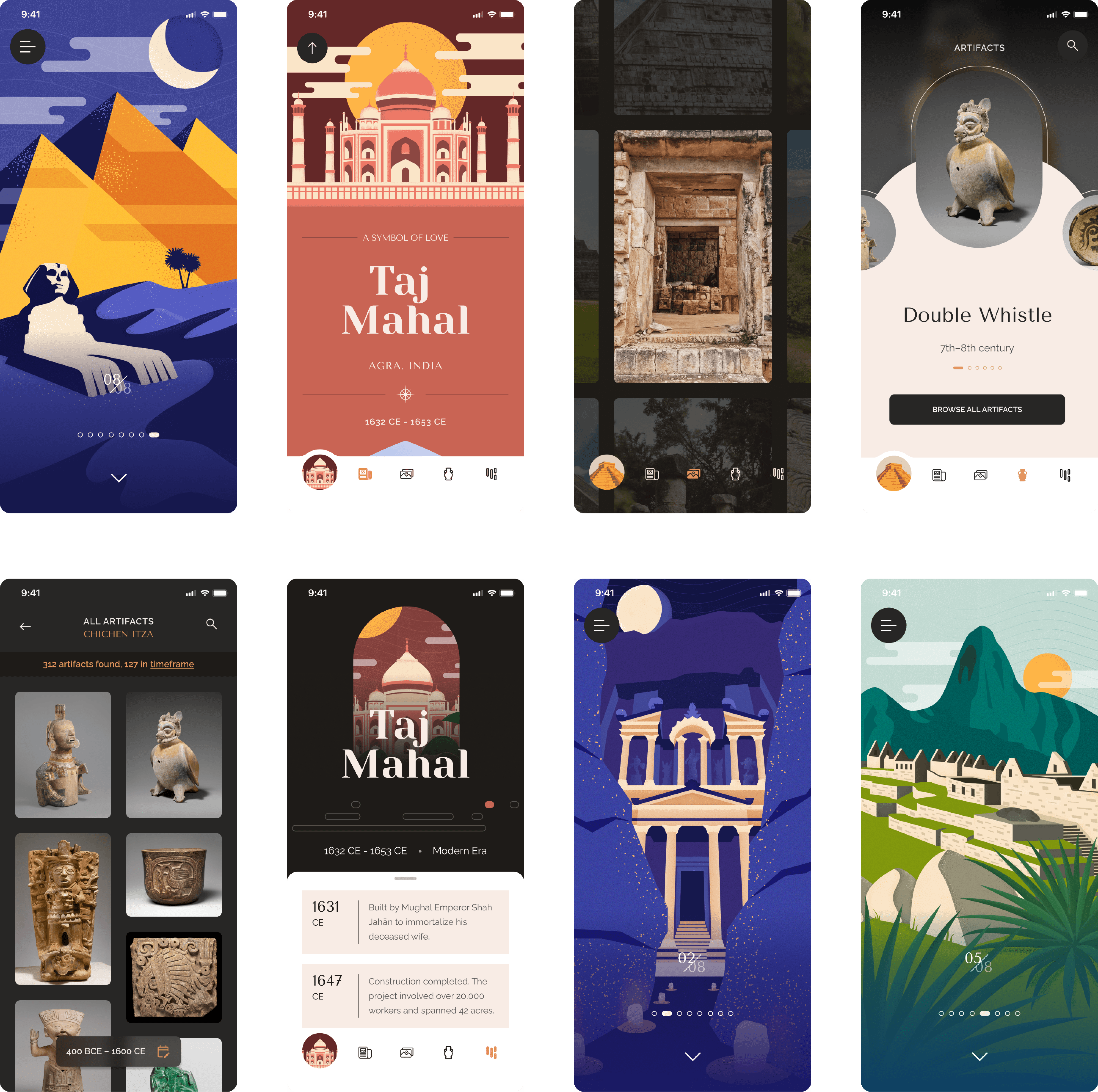
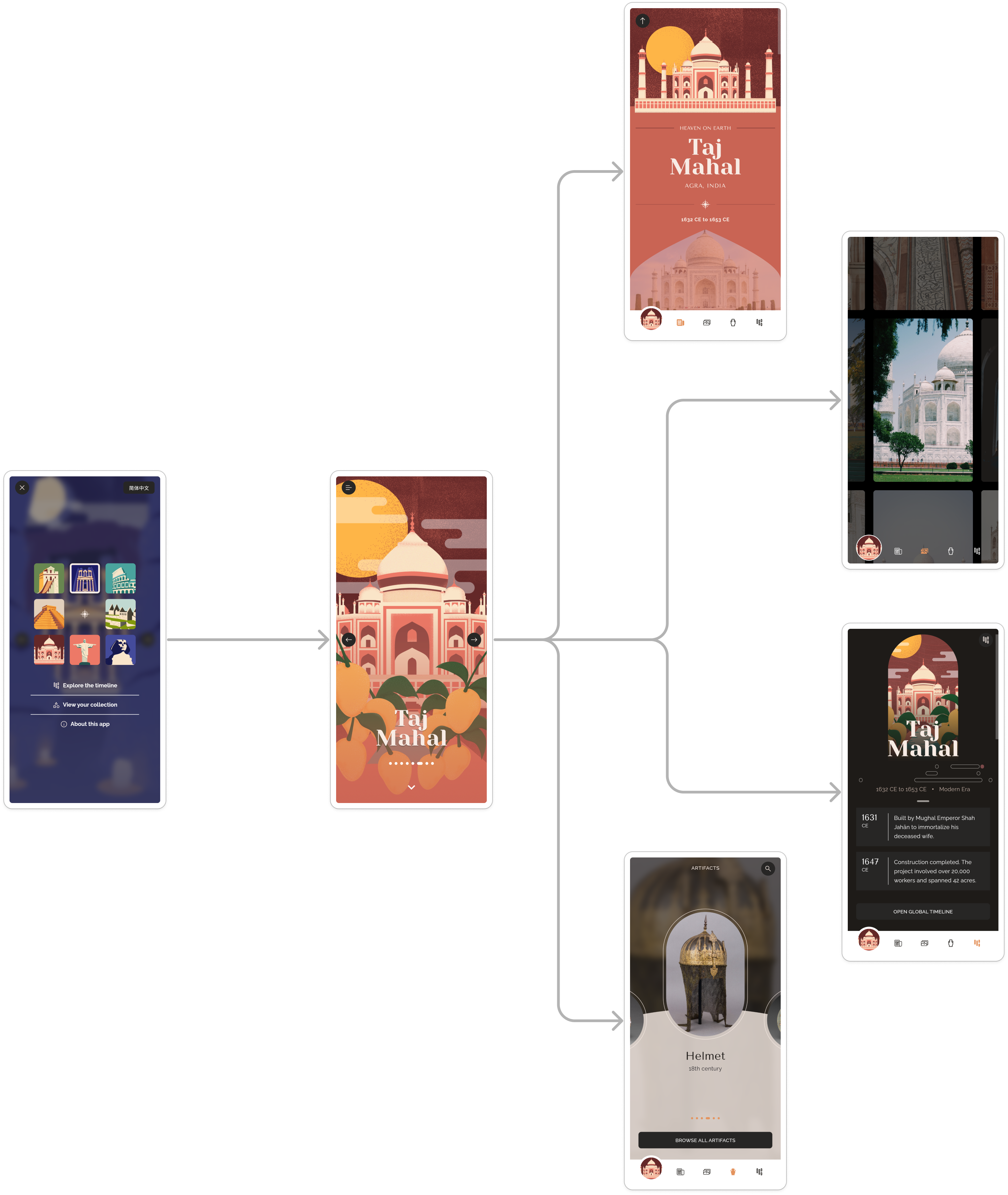
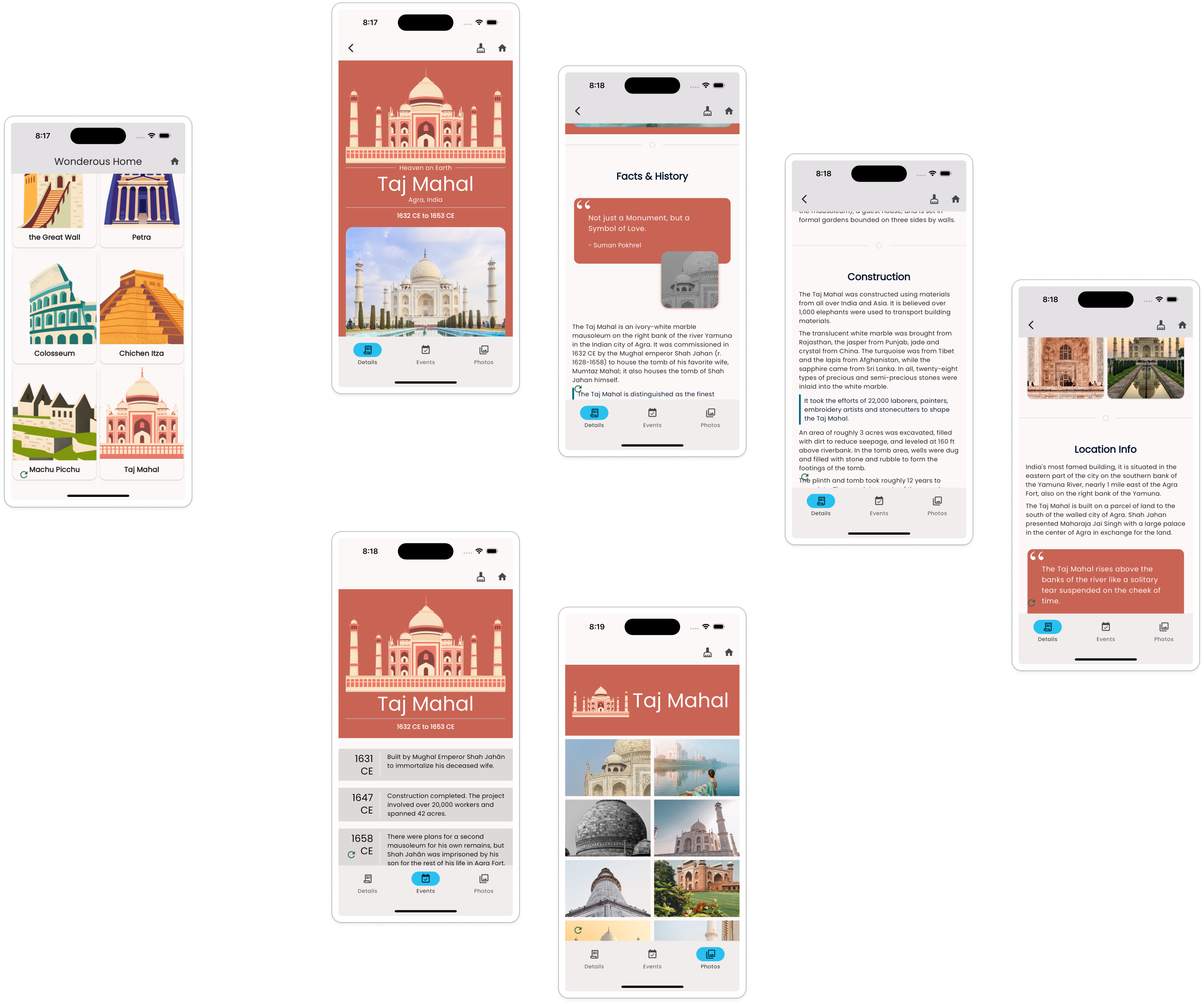
The app centers around the 8 Wonders of the world. Each Wonder is a compiled set of information such as: facts and history, the construction process, location details, photos, and a timeline of events. The app experience is a master-detail scenario with the landing screen showing all the wonders and allowing navigation into each wonder's detail screens organized by bottom tabs.
A Schema-first Approach
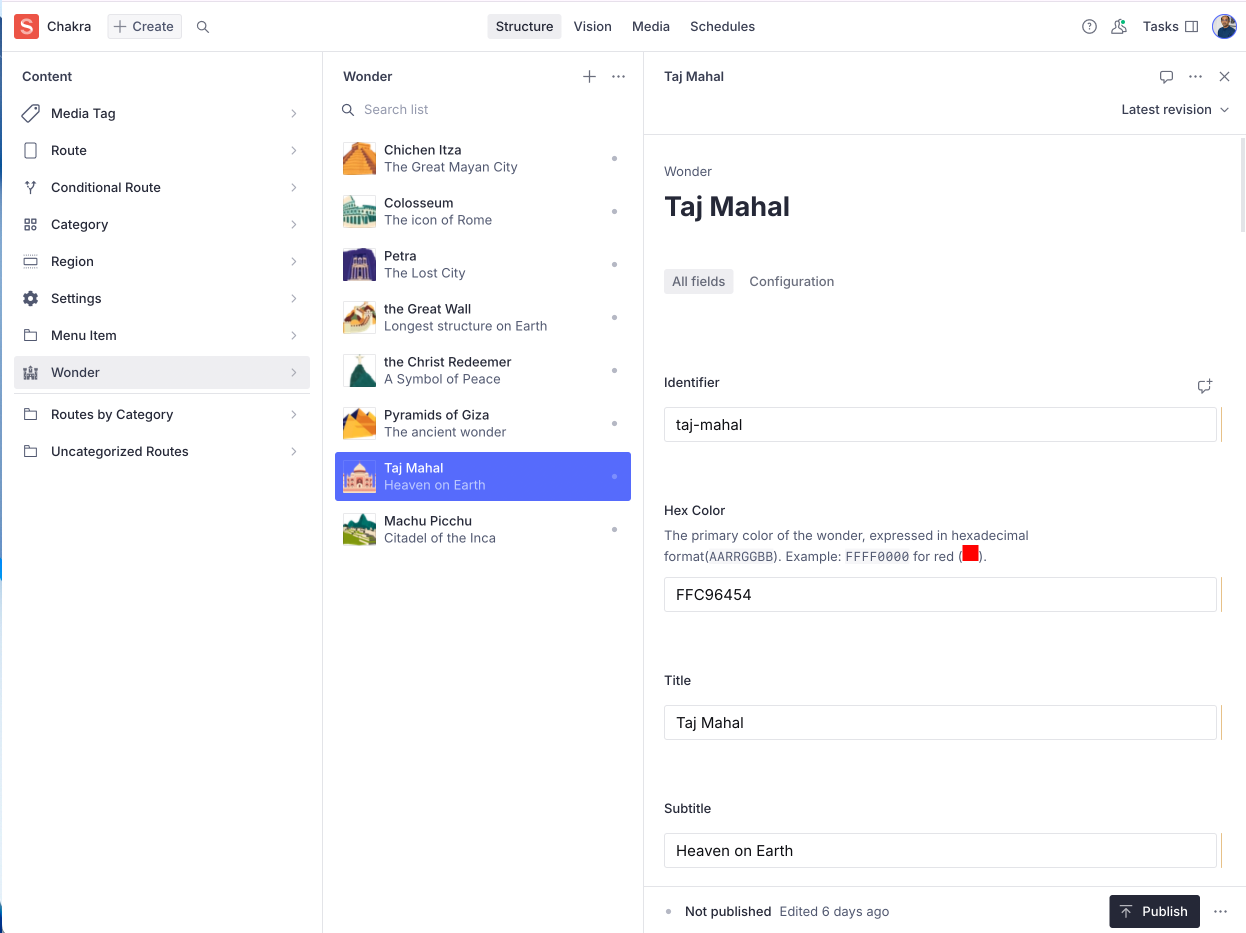
The approach starts with defining the Wonder as structured content. After identifying all content aspects of a wonder, a schema was created that describes the Wonder details including facts, history, construction information, location, photos, and timeline events.
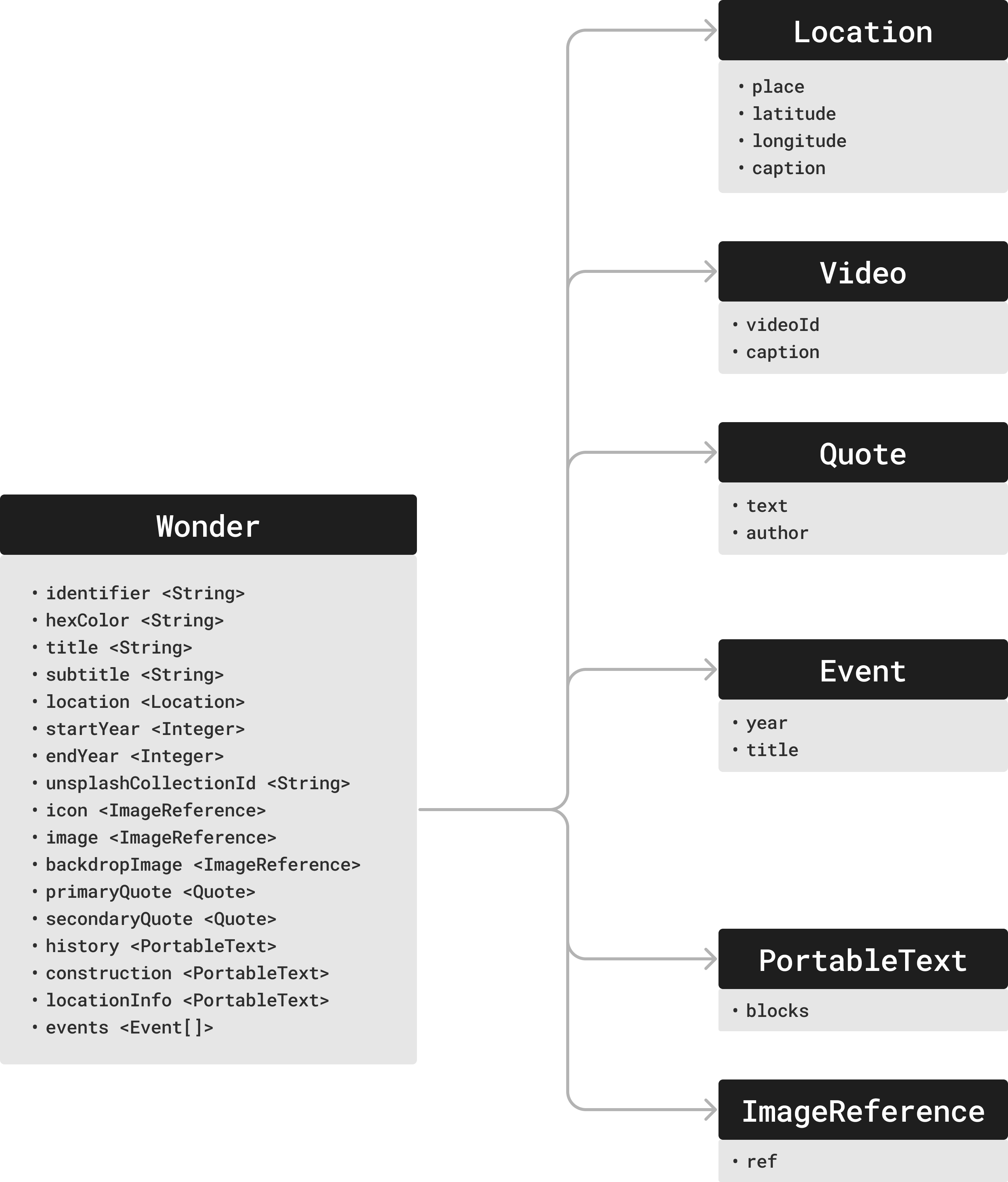
This schema translates to a CMS schema with Sanity.io. Each wonder is a separate document of type wonderous.wonder, created inside the CMS Studio with all the details gathered from the original Wonderous app.
export const wonder: SchemaTypeDefinition = defineType({
  name: 'wonderous.wonder',
  type: 'document',
  title: 'Wonder',
  fields: [
    defineField({ name: 'identifier', title: 'Identifier', type: 'string' }),
    defineField({ name: 'hexColor', title: 'Hex Color', type: 'string' }),
    defineField({ name: 'title', title: 'Title', type: 'string' }),
    defineField({ name: 'subtitle', title: 'Subtitle', type: 'string' }),
    // ... additional fields for video, dates, photos, etc.
  ],
});
Navigation and Structure
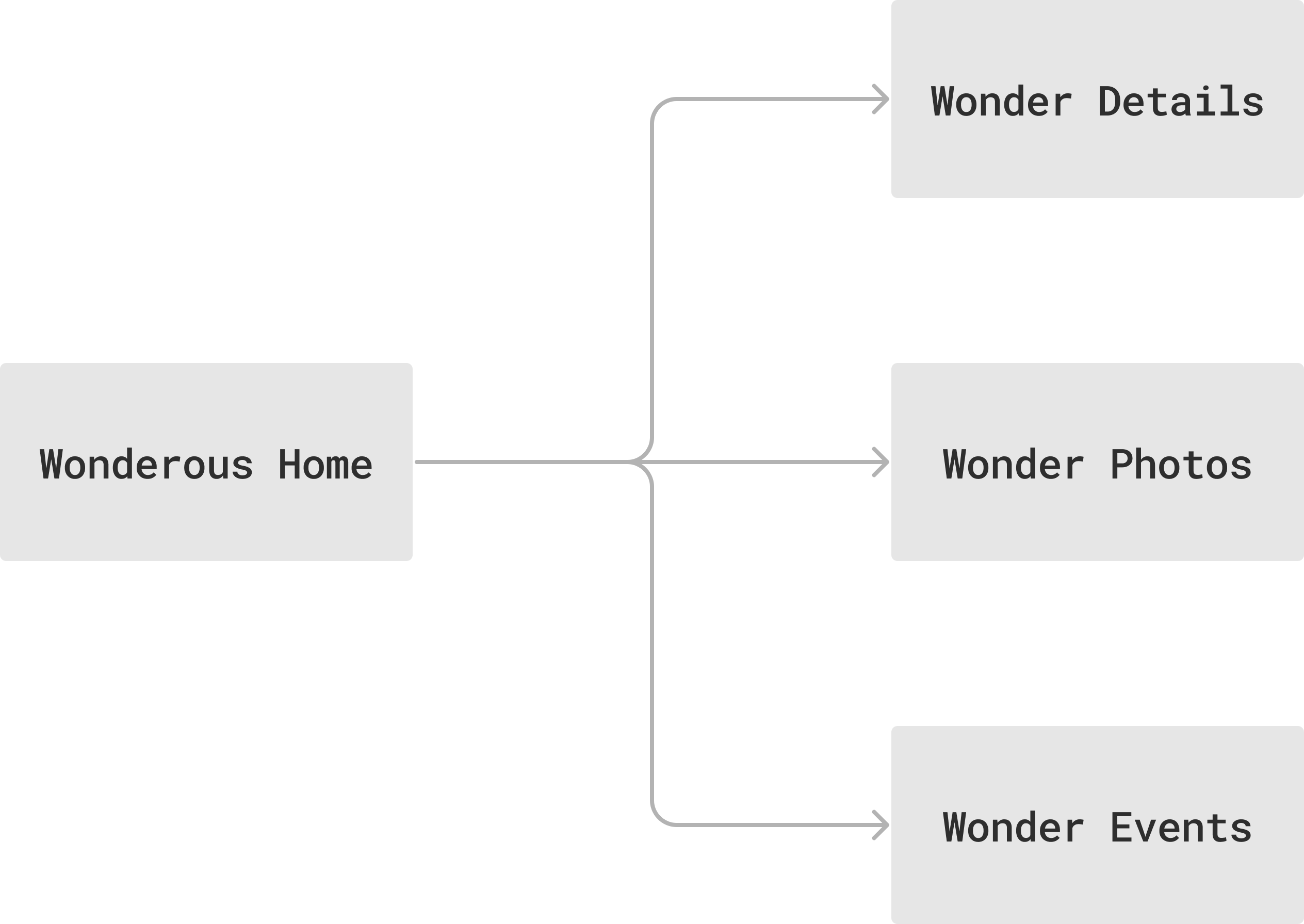
The journey starts with a list of Wonders and navigates into each wonder's details. Routes are defined on the CMS and linked to application routes using GoRouter.
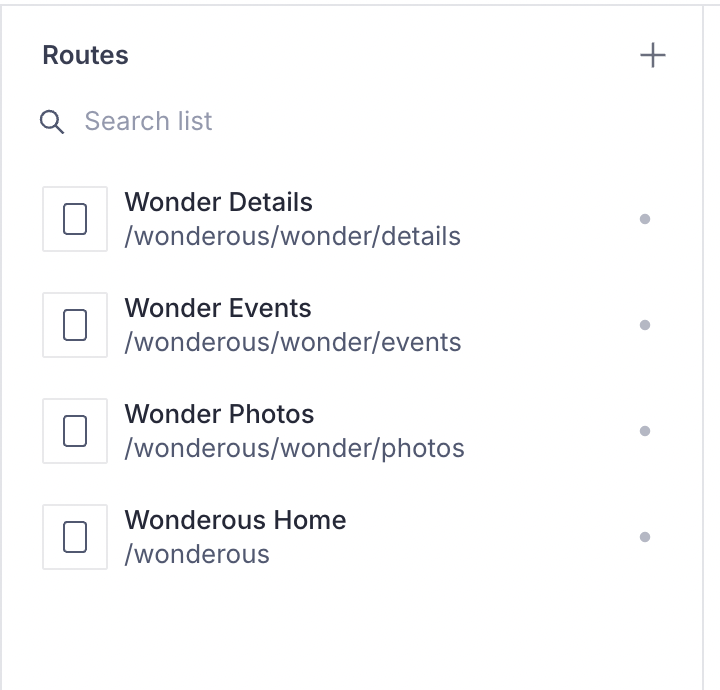
All wonders share the same visual structure -- they act as template routes where only the wonder-specific content changes. The Vyuh Framework supports this through CMSRoute (a subclass of GoRoute):
Future<List<RouteBase>> routes() async {
  return [
    CMSRoute(path: '/wonderous'),
    CMSRoute(
      path: '/wonderous/wonder/:wonder([^/]+)',
      routes: [
        StatefulShellRoute.indexedStack(
          branches: [
            StatefulShellBranch(routes: [
              CMSRoute(path: 'details', cmsPathResolver: wonderPathResolver),
            ]),
            StatefulShellBranch(routes: [
              CMSRoute(path: 'events', cmsPathResolver: wonderPathResolver),
            ]),
            StatefulShellBranch(routes: [
              CMSRoute(path: 'photos', cmsPathResolver: wonderPathResolver),
            ]),
          ],
        ),
      ],
    ),
  ];
}
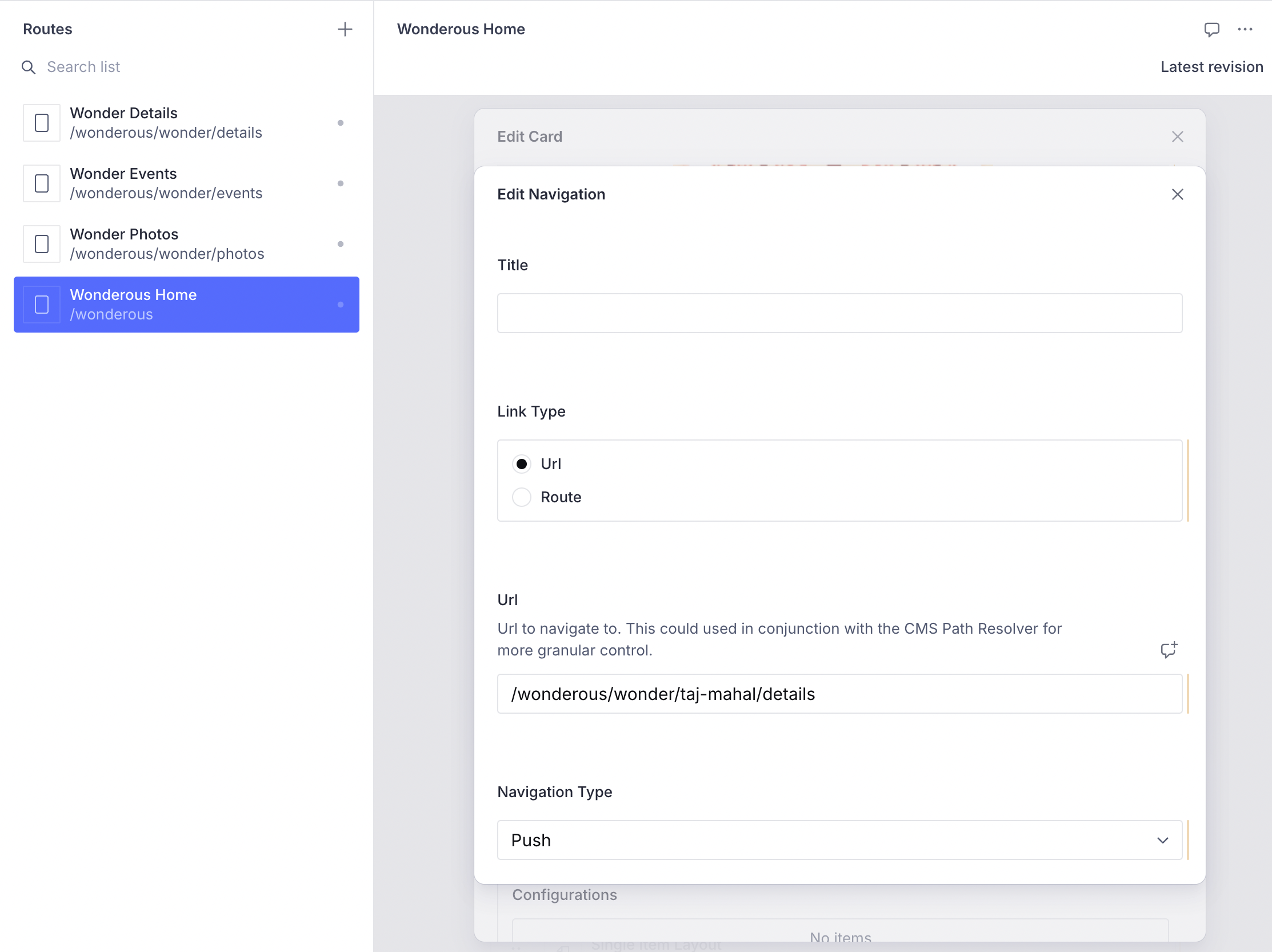
The wonderPathResolver maps dynamic paths like /wonderous/wonder/taj-mahal/details to the CMS path /wonderous/wonder/details for content rendering.
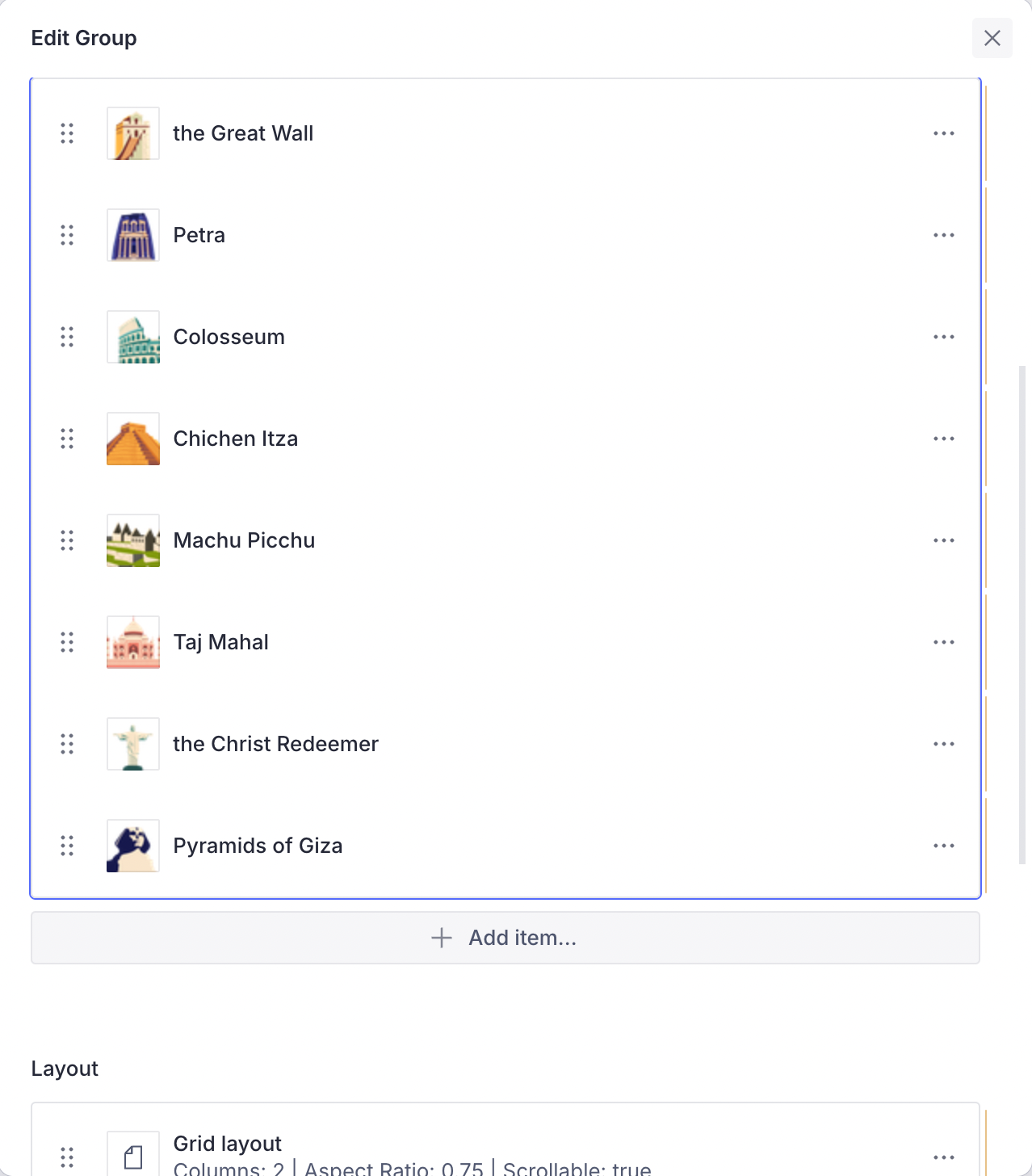
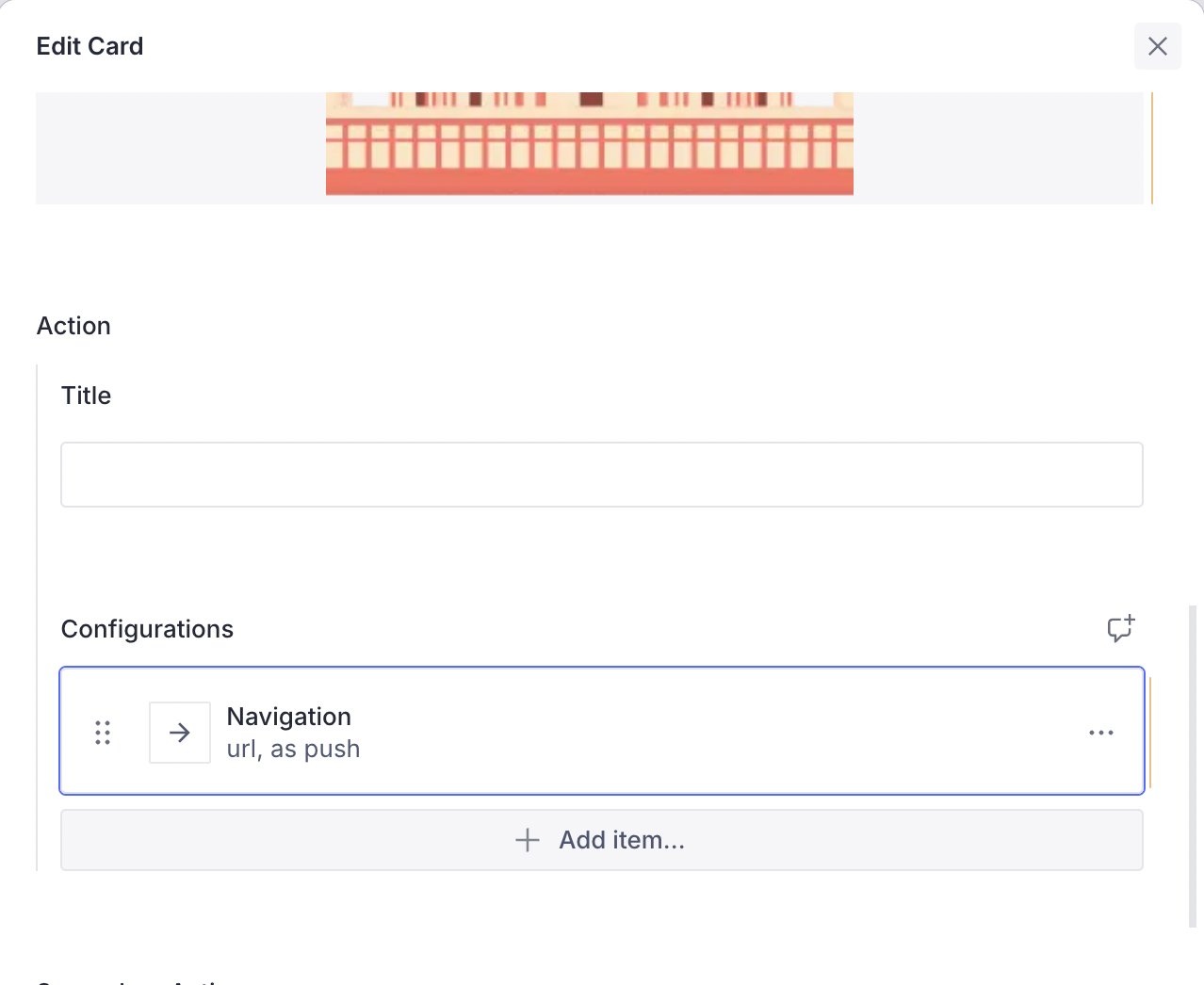
Linking the wonder cards on the CMS is a matter of locating the card, editing its navigation action, and linking to the wonder details:
Rendering Wonder Sections
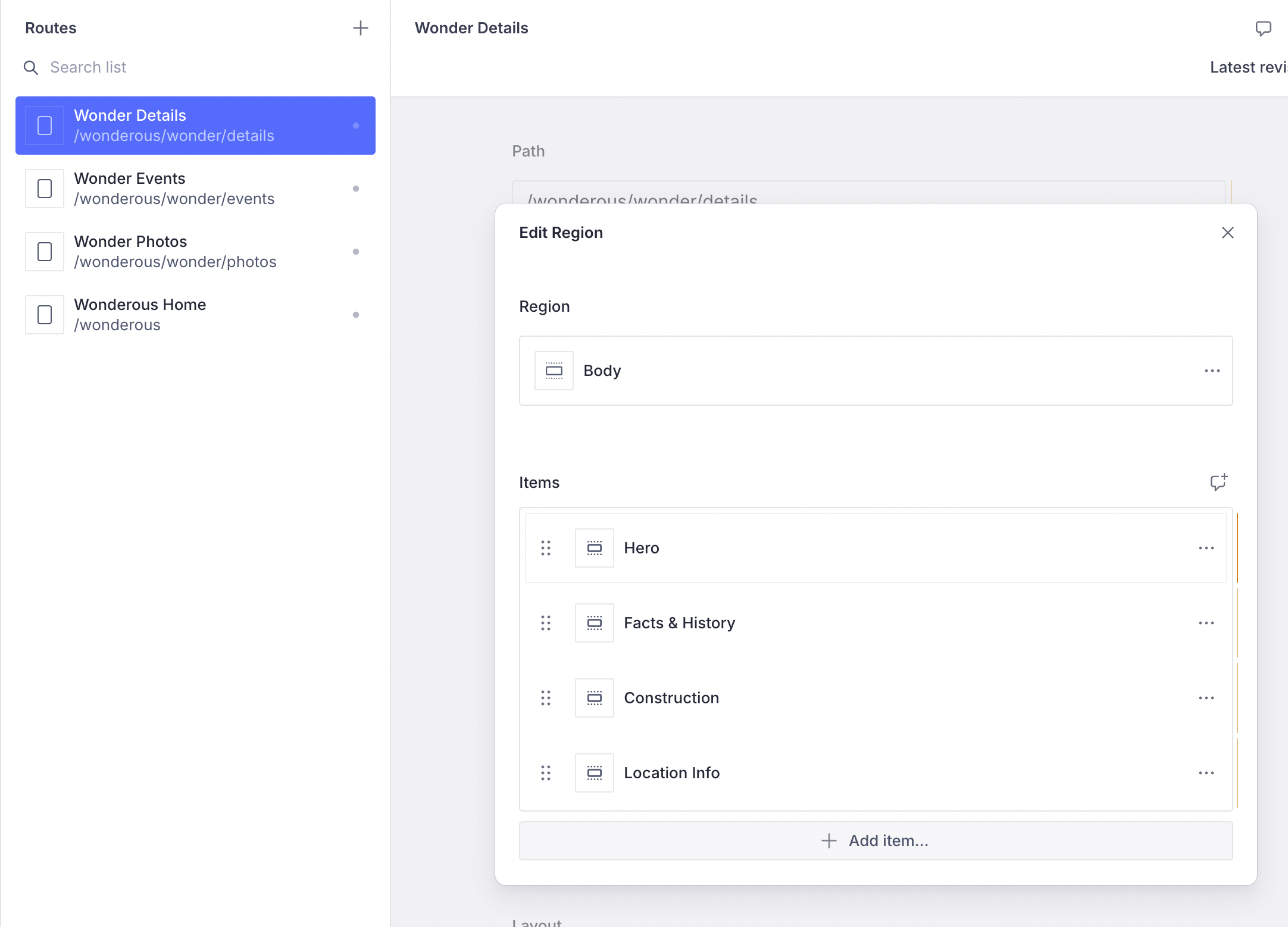
Each wonder is divided into sections (Hero, Facts & History, Construction, Location Info) as separate Content Blocks. This allows changing their order or adding more content between sections from the CMS.
The WonderSection content item and its layout are defined as a ContentBuilder within the FeatureDescriptor:
final feature = FeatureDescriptor(
  name: 'wonderous',
  title: 'Wonderous',
  description: 'The Wonderous app as a Vyuh Feature',
  icon: Icons.castle_outlined,
  init: () async {
    // Initialize API keys for Unsplash
  },
  routes: routes,
  extensions: [
    ContentExtensionDescriptor(
      contentBuilders: [
        ContentBuilder<WonderSection>(
          content: WonderSection.typeDescriptor,
          defaultLayout: WonderSectionLayout(),
          defaultLayoutDescriptor: WonderSectionLayout.typeDescriptor,
        ),
      ],
    )
  ],
);
The WonderSectionLayout renders each section type appropriately, and a shared Future<Wonder> ensures no duplicate network calls are made when fetching wonder data.
Managing Wonders
With the CMS-driven approach, adding new wonders is a matter of gathering the visual assets, collecting the facts, creating a wonder document, and publishing. Updates to existing wonders are live to customers in minutes rather than requiring a new app release.
Disclaimer
All assets used in building this version of Wonderous are the property of GSkinner. They are used purely for a technical exploration to demonstrate the abilities of the Vyuh Framework.
Read the Code
See the code for the example on GitHub: Wonderous